Moving platforms? How to import a guest list without losing your RSVPs
The LimeMoment team · 11 June 2026
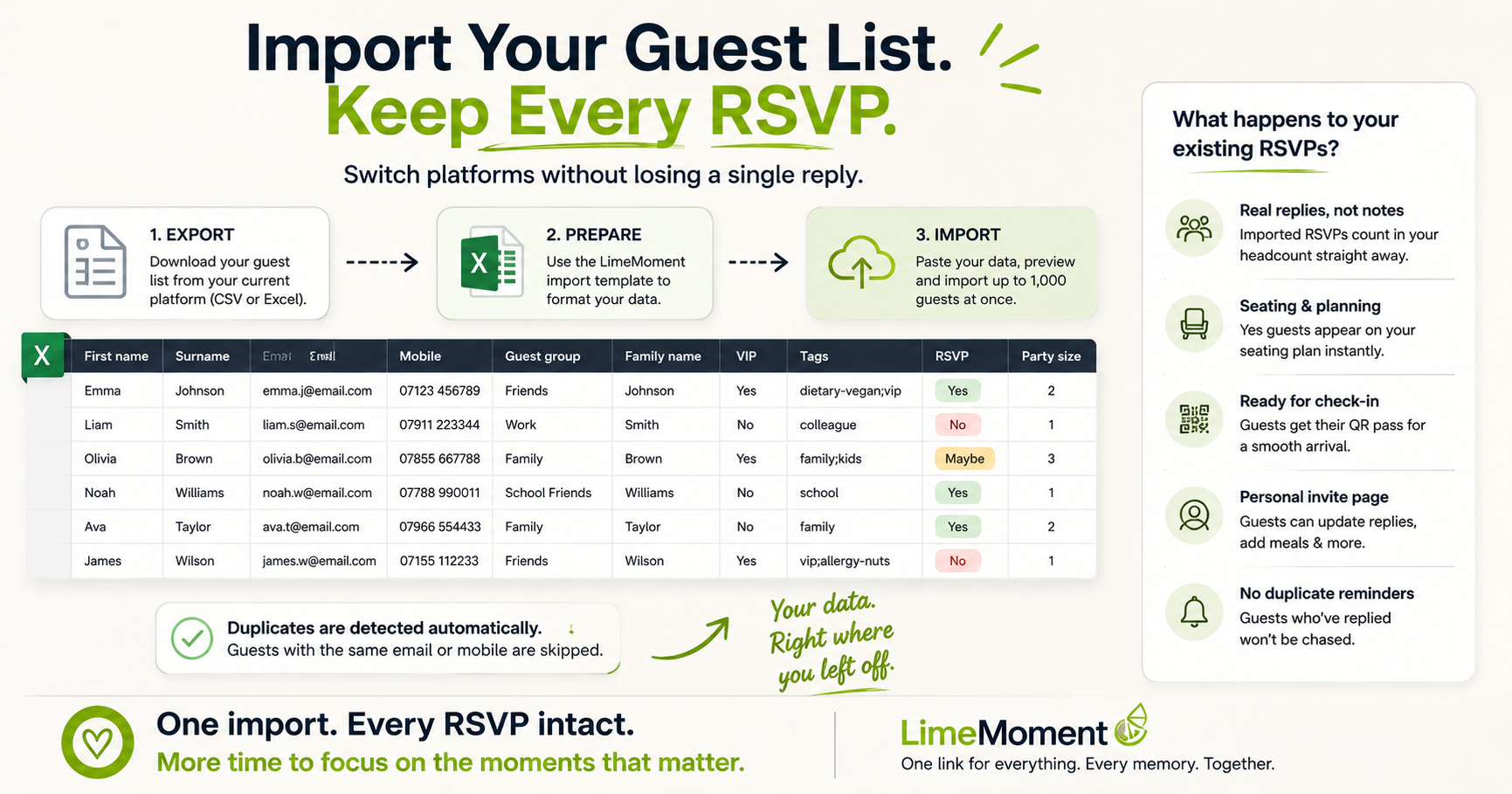
Plenty of hosts start on one platform and outgrow it: the invitations went out, half the replies came back, and then you found somewhere better. The fear that stops people switching is losing those replies. It shouldn't, because you can import a guest list with every RSVP intact and pick up exactly where you left off.
First, get your list out of the old place
Almost every invitation platform exports your guests as a spreadsheet or CSV, usually under guest list, export or download. A paper list or a notes app works too; you just type it into the spreadsheet yourself. What you want for each guest is simple: name, contact details and, crucially, what they've already said. Yes, no or maybe.
Use the template so nothing gets lost
On LimeMoment, open your moment's guest list and download the import template. It's one row per guest with these columns:
- First name and surname
- Email and mobile
- Guest group and family name (handy later for seating and check-in)
- VIP (yes or no)
- Tags, separated by semicolons
- RSVP: yes, no or maybe
- Party size
Only the first name is essential; fill in whatever you have. The RSVP column is forgiving about wording, so "attending", "confirmed", "going" and plain "yes" all count, and "declined" or "regrets" read as a no. Copy your old export into this shape, paste the lot in (up to 1,000 guests at once) and you'll see a preview of how many are new before anything is saved. Duplicates are spotted by email or mobile and skipped automatically.
What happens to the replies you carry over
This is the part that matters. When you import a guest list with the RSVP column filled in, those answers become real replies, not notes. A guest who said yes on the old platform counts in your headcount immediately, appears on the seating plan, gets a working QR pass for the door and has their own personal page where they can update their reply or add a meal choice later. Guests who already answered aren't chased by reply reminders, because as far as the system is concerned, they've replied.
Then everything just works
From the moment the import finishes, the event behaves as if it had always lived here. Every guest, replied or not, has a personal invite link that greets them by name. The ones still to answer get gentle automatic reminders. Your dashboard shows the live headcount, meals and access needs in one place, and everything that follows, the memory wall, the gifts, the recap, builds on the same list.
Switching platforms mid-event feels risky right up until you do it. Export, shape the spreadsheet to the template, import a guest list once, and the weeks of replies you've already gathered come with you. The only thing left behind is the tool that wasn't working.
Ready to create your moment?
Everything your guests need in one beautiful link. Start free.